Bank connections
Bank Bridge supports file exchange and direct API communication for electronic banking in Poland. It operates independently of the Polish Localization for Business Central. The banking formats and integrations described here are intended for the Polish market.
Choose the communication method
| Method | Outgoing payments | Bank statements |
|---|---|---|
| File exchange | Export payments from Bank Bridge in the agreed format, then upload the file through the bank's process. | Obtain the statement file from the bank and import it using the configured format. |
| Bank API | Submit payments through the configured bank service where that operation is supported. | Retrieve statement data through the configured service where that operation is supported. |
Confirm each direction separately. Availability of an integration does not by itself establish that every payment type, statement format or API operation is supported.
Supported bank integrations
The published Marketplace listing names the following integrations:
- mBank
- Danske Bank
- ING Business
- PeKaO Biznes24
- PeKaO Connect
- PKO BP
- Velo Bank
- Santander
- Citi Bank
- Alior Bank
For your bank, confirm the required service, format and communication method with APPower or your implementation partner. The Marketplace offer provides the published product scope.
Review Bank Service Setup for an API connection
The Bank Service Setup page holds bank service configuration. The example below shows a PeKaO Connect service.
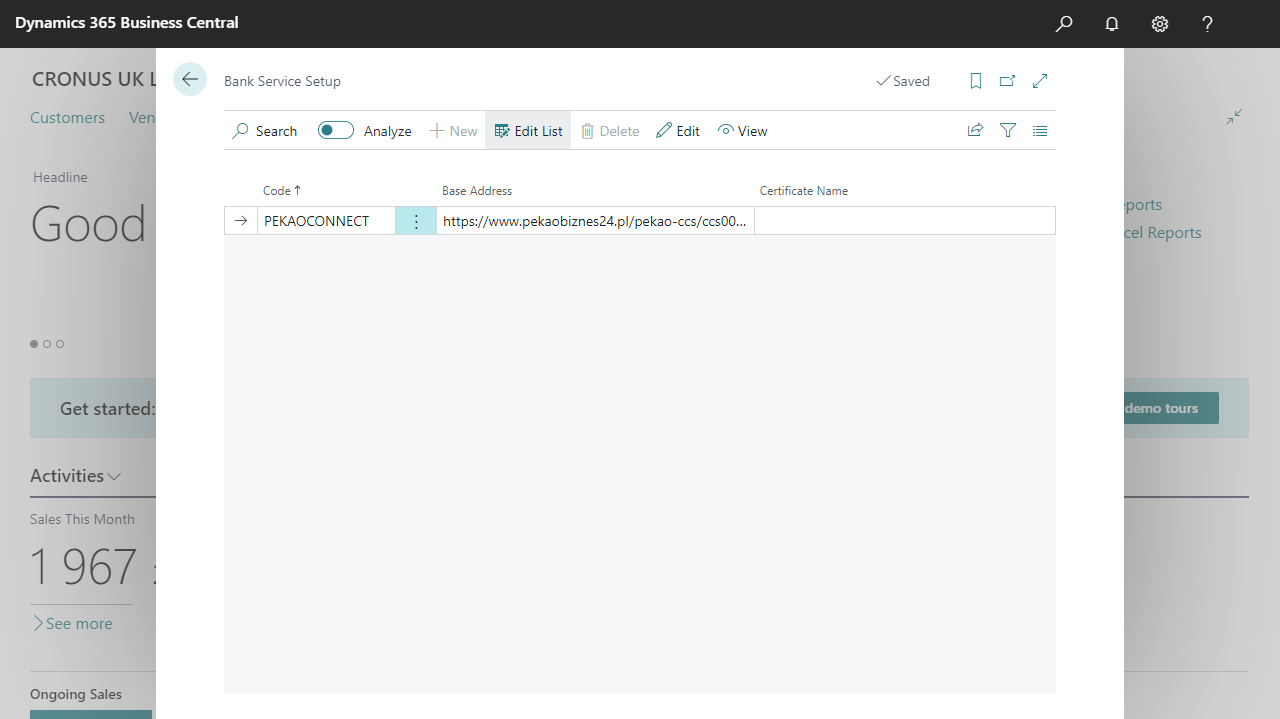
Select the image to view it at full size.
| Field | What to review |
|---|---|
| Code | The service configuration selected for the bank integration. The example uses PEKAOCONNECT. |
| Base Address | The service endpoint agreed for the bank connection and environment. |
| Certificate Name | The certificate setting required by the selected integration, if applicable. |
Use connection details provided for your own bank service. The address visible in the screenshot is an example and is truncated; it is not a value to copy into a new setup.
Before the first live operation, confirm with the person configuring the service that the connection uses the intended environment and that the bank has enabled the required operations for your account.
Continue with the finance setup
Select the payment export format and service code in Payment journal setup. Configure the import format, code page and destination journal in Statement import setup.
Add operation code mappings, then follow the outgoing payment and bank statement workflows.